Getting Started¶
A 5-minute tutorial for first-time users. Structured as a VS Code-style
walkthroughscontract in three steps: (1) launch pccx-lab, (2) load the sample.pccx, (3) open Flame Graph + Waveform.
Prerequisites¶
A working pccx-lab build (
cargo tauri devor a release binary).Sample trace
hw/sim/fixtures/smoke.pccxproduced by runninghw/sim/run_verification.shonce inside the sibling pccx-FPGA checkout. Run that first if you do not yet have a trace.
Step 1 — Launch pccx-lab¶
cd src/ui
npm install            # first time only
npx tauri dev
On launch you will see:
Title bar + menu bar — File / Edit / View / Trace / Analysis / Verify / Run / Tools / Window / Help.
Tab strip — Timeline / Flame Graph / Waveform / System Simulator / Memory Dump / ….
AI Copilot panel (docked right; `Ctrl+`` to toggle).
Bottom Panel (Log / Console / Telemetry;
Ctrl+Jto toggle).
The right-hand activity bar surfaces the Copilot (🧠) and Telemetry
(📈) quick-toggles. Every icon-only button carries an aria-label
so the shell is fully screen-reader navigable (WCAG 2.2 SC 2.1.1 /
2.4.3).
Step 2 — Load the sample .pccx¶
Two entry points:
Menu —
File ▸ Open .pccx…(Ctrl+O).Auto-load — the app attempts to load
dummy_trace.pccxat startup. On success, a greentrace loadedbadge appears to the right of the tab strip.
To load a real pccx-FPGA simulation result, pick:
../pccx-FPGA-NPU-LLM-kv260/hw/sim/fixtures/smoke.pccx
The status bar populates cycles and cores once the trace is
decoded.
Step 3 — Open Flame Graph + Waveform¶
Flame Graph¶
Click the Flame Graph tab.
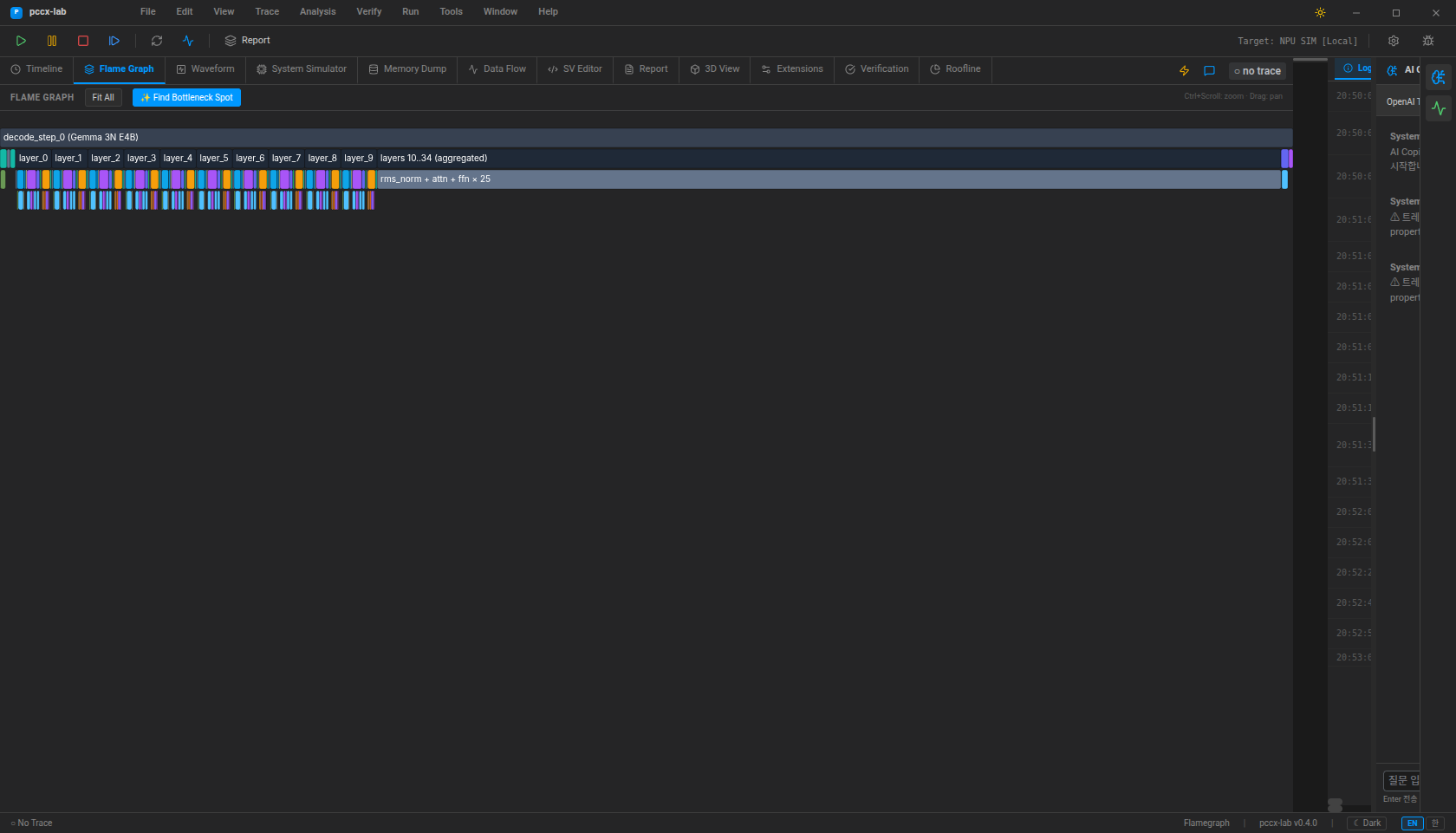
Controls:
Ctrl + scroll— zoom the time axis.Drag — pan.
Find Bottleneck — calls the
detect_bottlenecksIPC and surfaces the dominant contended window with an AI recommendation.Ctrl + Shift + D— toggle diff mode against a second loaded run.
Waveform¶
Click the Waveform tab. To open a .vcd directly, use
File ▸ Open VCD… (Ctrl + Shift + O).
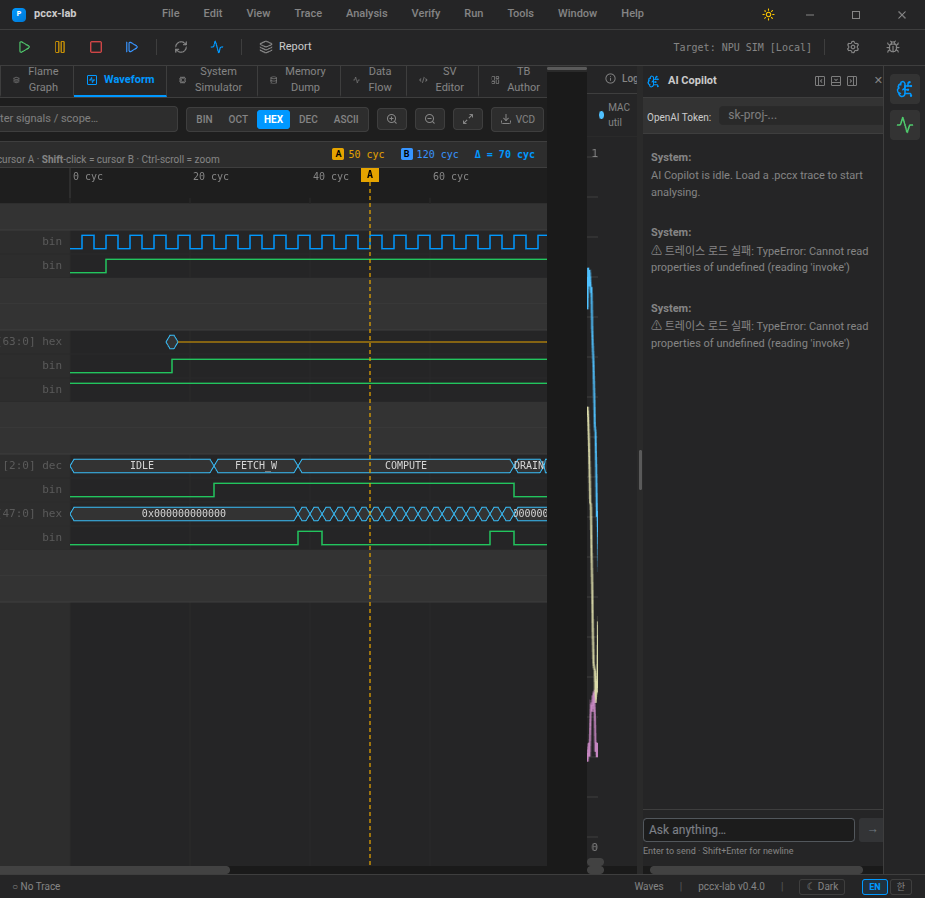
Controls:
Alt + click— A cursor;Shift + click— B cursor.Right-click — add / remove bookmark.
Ctrl + B— jump to the next bookmark.Ctrl + scroll— zoom.
Full shortcut list¶
Press ? or F1 anywhere in the app to open a modal that
lists every registered shortcut.
The shortcut registry is a single source of truth
(src/ui/src/useShortcuts.ts); combined with the aria-label pass
(WCAG 2.2 SC 2.1.1 Keyboard, WAI-ARIA 1.2 §5.2.8.4 aria-label) you
can drive the full IDE without a mouse.
Next steps¶
docs/pccx-format.md— binary layout of the.pccxcontainer.docs/verification-workflow.md— the end-to-end xsim →.pccx→ UI verification pipeline.docs/modules/node-editor.md— tour of the Blender-grade node editor.